Synonyms
How to create synonyms in Search
Creating synonyms in the Malachyte portal helps ensure that users find the correct search results even if they use different terminology. For example, a user searching for a "tote bag” should also see results for a “shoulder bag” and “carryall”.
Synonym Types
There are two kinds of synonyms you can create in the portal:
Interchangeable
A list of terms that are interchangeable with each other, including misspellings.
- Behavior: A search for any term in the group will return results for that term as well as all other terms in the group (e.g., searching "tote" also returns results for "shoulder" and "carryall").
- UI Example:
"Jacket","Coat","Trench" - System Constraint: There is a limit of 10 terms per interchangeable group.
One way synonyms
A search term that will return alternatives, but not the reverse (also referred to as a redirect search).
- Behavior: Searching for a specific query will surface the results of a target term, but searching the target term will not return the variant.
- UI Example: A search term of
"iPhone"will return"Apple", but not the other way around.
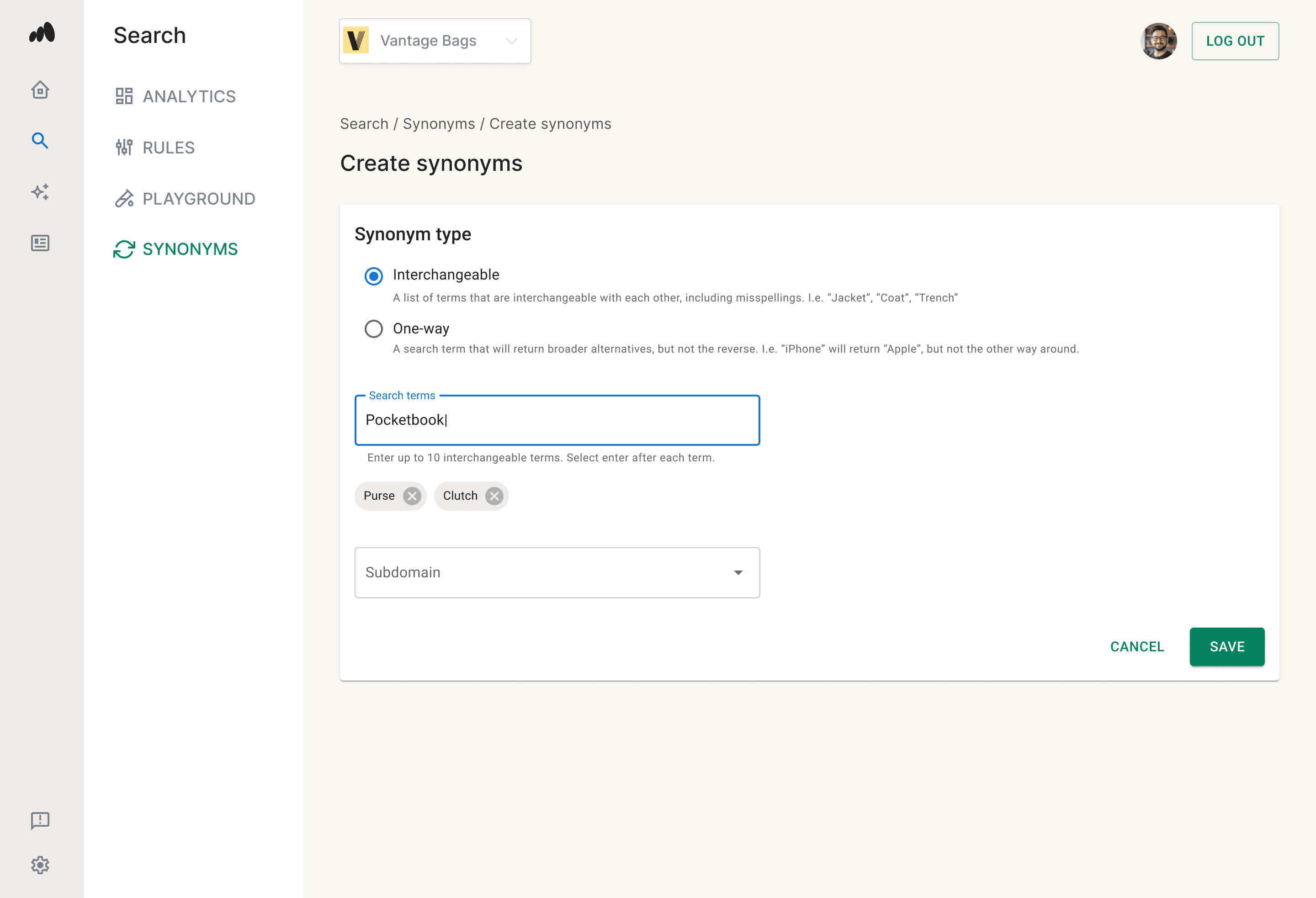
Creating Synonyms
Follow these steps to configure and deploy a new synonym mapping:
- Navigate to Synonyms: In the left navigation menu, click on Search and select Synonyms.
- Launch the Creator: Click the Create Synonym button.
- Choose Mapping Type & Input Terms:
- If choosing Interchangeable: Enter the group of interchangeable search terms you want to map to each other (maximum of 10 terms).
- If choosing One way synonyms: Enter the primary search term first, followed by the alternative results that should appear.
- Select Scope: Choose the specific subdomain that this mapping is applicable to.
- Save Changes: Click Save to commit your mapping.
NOTE: Terms are not case sensitive and will be converted to lowercase (e.g., "Batman" will save as "batman").
Updating Synonyms
Follow these steps to update an existing synonym mapping:
- Scroll through the synonym list or use the search bar to find the mapping you wish to modify. Click directly on the synonym entry.
- Update the search terms, alternative terms, and/or applicable subdomains.
- Note: For One way synonyms, any updates will completely overwrite the current state.
- Click Save.
To change a synonym from Interchangeable to One way (or vice versa), you must delete the current synonym entry and recreate it as a new one.
Deleting Synonyms
To permanently remove a synonym mapping:
- Scroll through the synonym list or use the search bar to find the mapping you wish to modify. Click on the synonym entry.
- Click the delete button, and confirm the action.