Overview
How to get started with the Malachyte Portal
The Malachyte Portal helps clients build and manage personalized product experiences across their site — without requiring engineers.
Through the Portal, clients can preview shopper experiences and customize product recommendations, search, and product listing pages using a simple no-code interface.
Accessing the Malachyte Portal: Each client has their own Malachyte Portal at a dedicated URL, for example https://acme.malachyte.com/login. Malachyte shares the Portal link and login during onboarding.
Note: this documentation is primarily for Shopify stores. Instructions for a headless setup may differ slightly depending on the configuration.
Recommend
Malachyte Recommend allows clients to customize the recommendations that display on their website. Recommendations rely on supervised machine learning models that are trained on the client's product data and shopper interactions.
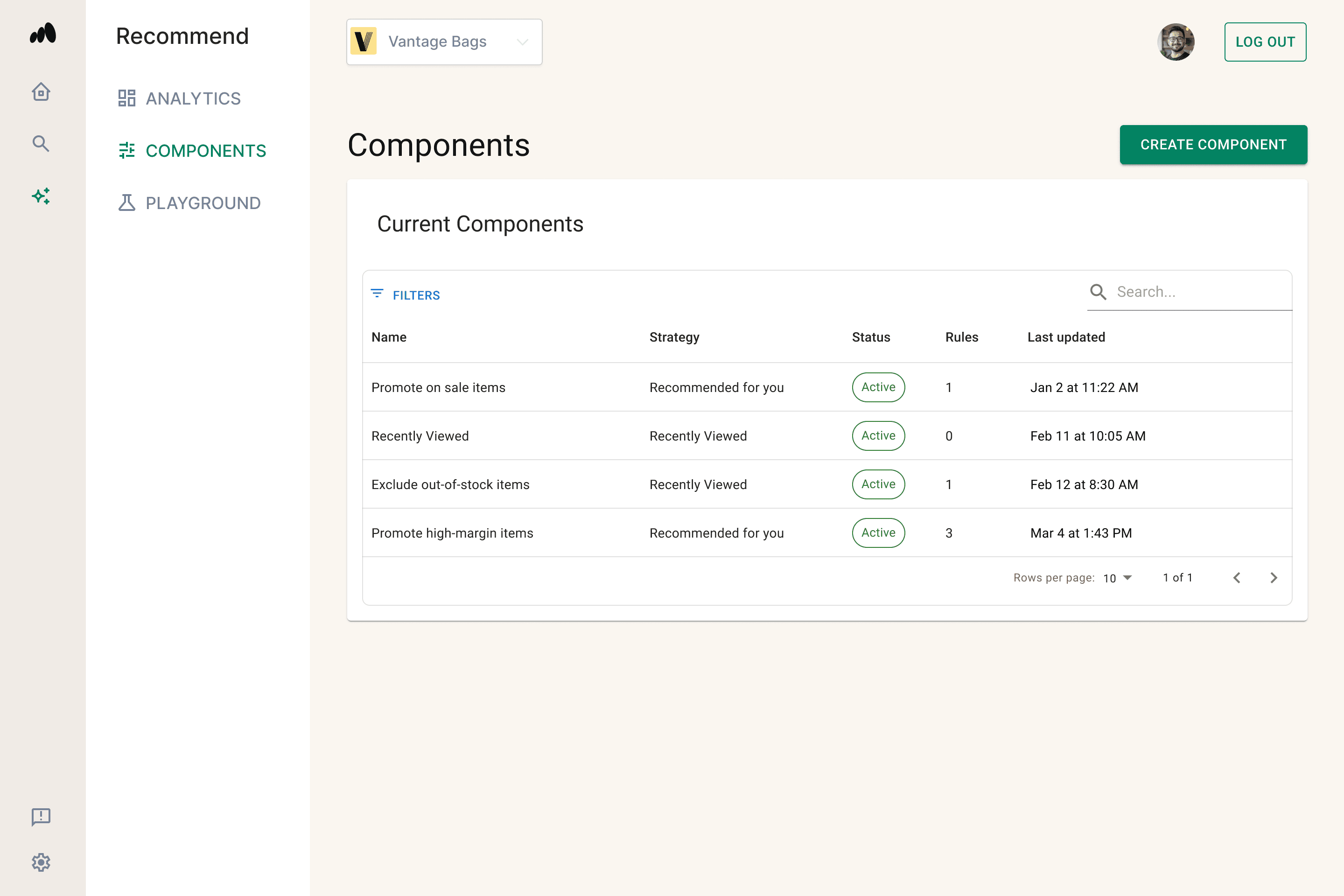
Strategies
When setting up a recommendation component, clients choose a strategy. Each strategy has preset rules designed to achieve a goal. The strategies available can vary by store and include Listing, New And Coming Soon, Recently Viewed, Recommended Accessories, Recommended Beauty, Recommended Clothes, Recommended For You, Recommended Products, and Related To Cart.
Search
Malachyte Search transforms the site’s search bar into an intelligent discovery tool.
Key Capabilities
- Typo Tolerance: Automatically corrects spelling errors to prevent "No Results" pages.
- Semantic Understanding: Recognizes synonyms and context (e.g., searching for "crimson parka" will surface "red winter jackets").
- Predictive Autocomplete: Suggests products and categories in real-time as the shopper types to speed up the path to purchase.
- In-Session Learning: Adjusts search rankings instantly based on the shopper's current browsing behavior.
Pro Tip: In the Portal, go to Search → Analytics to review Top searches and Top searches with no results. From the no-results list, clients can add a synonym or create a rule to fix a search.
PLP (Pages)
Malachyte Pages controls how products are ranked, filtered, and merchandised on product listing pages (PLPs). Every Page in the Portal corresponds to a Shopify Collection, so clients can apply Malachyte to their existing collections without changing their theme code.
Key Capabilities
- Merchandising & Ranking: Rule-based actions (Promote, Bury, Hide, Only Show) plus Pinning to control product order.
- Filtering & Sorting: Choose which attributes shoppers can filter by, with standard sort options.
- Grid & Layout: Set column counts by device, with support for inline promotional spots.
- Banner Injection: Add promotional content to the grid without theme changes.
- Playground: Preview the shopper experience and test merchandising rules before going live.
See the PLP Overview for details.