/
Playground
How to preview recommendations in the Playground
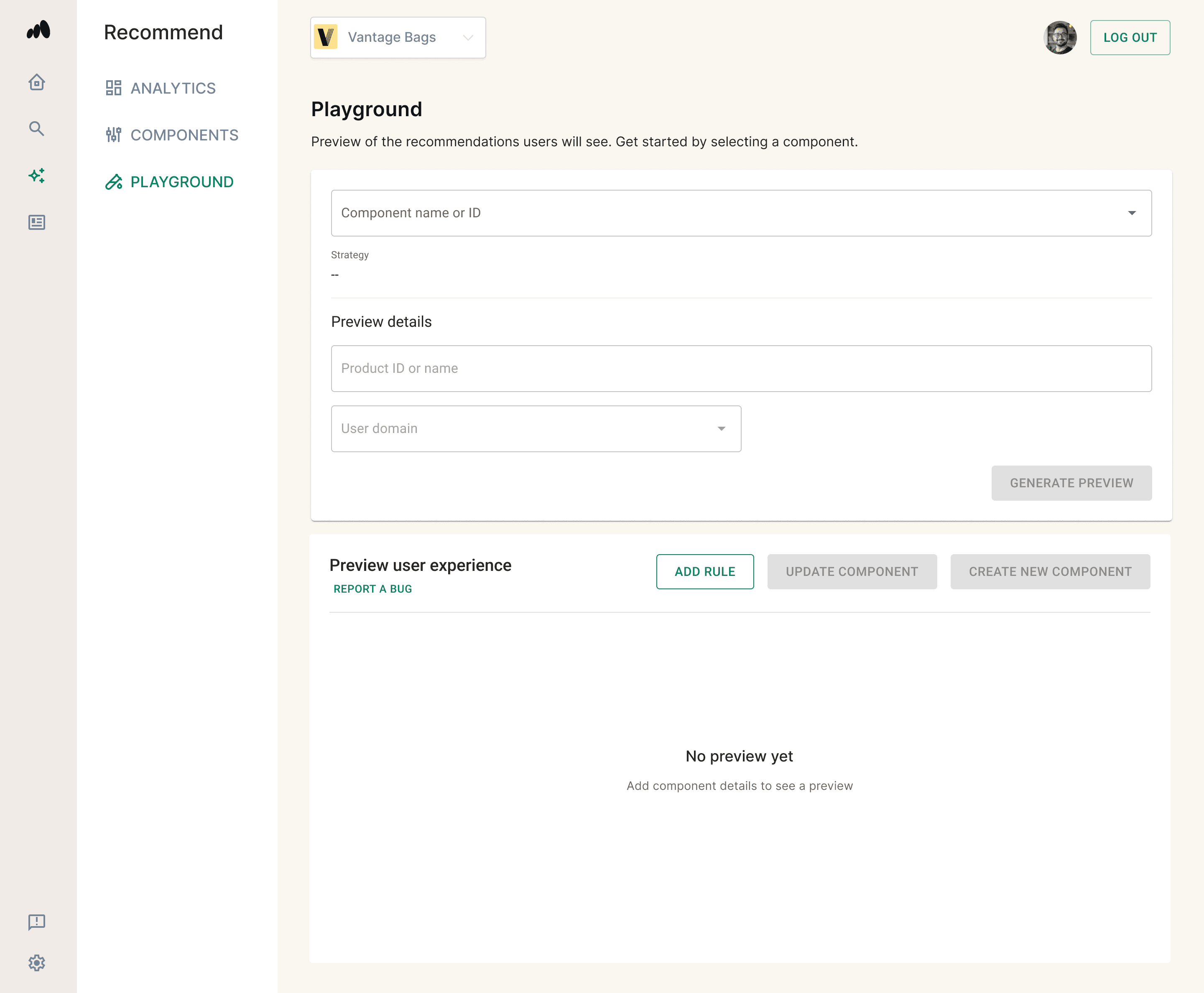
The Playground is a simulation environment that allows you to preview and simulate how recommendation carousels appear for different users, products, and domains.
Accessing the Playground
- Open the left navigation menu
- Click on Recommend
- Click on the Playground tab
Simulating Recommendations
Follow these steps to preview how a recommendation strategy renders:
- Select an Existing Component: Choose the recommendation component you want to evaluate. Once selected, the system will automatically display the strategy currently assigned to that component.
- Set the Criteria: Input the following foundational parameters:
- Product: Select or input the target product that the recommendations will be based on.
- Subdomain: Select the applicable domain scope.
- View Recommendations: The UI will dynamically display product recommendations tailored specifically to your chosen component and criteria.
Previewing Merchandising Rules
You can experiment with different merchandising rules directly in the simulation environment to see how they affect your output before making them live.
Important Note: These rule changes are only applied to the preview and will not be applied to the actual live component until you explicitly save them.
There are two ways to preview rules in the Playground:
Method A: Using the Rule Builder
- Click the ADD RULE button to configure a new merchandising rule. Click "Add rule" to update the preview.
- It may take up to 30 seconds for the preview to update.
- Once the preview updates, you will see the new sequence of product recommendations based on the rule you applied.
Method B: Visual Pinning (Drag-and-Drop)
- Click and hold a product tile within the recommendation preview, then drag it to your desired location.
- This automatically generates a pinning rule for that product location.
Saving Your Rule Changes
Once you are satisfied, you have two options to save the rules you created in the Playgound:
- Update the Current Component: Click UPDATE COMPONENT to apply these new merchandising rules to the existing component you selected.
- Create a New Component: Click CREATE NEW COMPONENT to open the Create Component flow with these rules pre-populated.